
The Roblox Community "Whirlpool Studio  Whirlpool Studio is a notable community verified by Roblox Corporation. Learn more."
Communities are a feature on the social platform, Roblox. Communities were added on July 30, 2009,[1] Users can create or join different Communities that feature their interests, and all Communities can have virtually an "infinite" amount of members. All players on Roblox can join up to 100 Communities. Anyone can create a Community, but creating a Community costs 100 Robux. Formerly, only Builders Club (now Premium) members could create Communities.[1]
Communities can be set as Public or Private. If Private, the user's join request will be regarded as "pending" until a Higher-ranked (or the Communities owner) approves or declines their request. However, if public, the player can join the Community without being manually approved.
Previously, Users were given a certain limit on how many Communities they were able to join based on their membership. Before the rebrand of Builders Club to Premium, Non-Builders Club and Non-Premium members were only allowed to join up to five Communities at a time, While Classic Builders Club members were allowed to join or own up to 10 Groups at a time. Turbo Builders Club members were given the privilege to own or join up to 20 Communities at a time, while members with Outrageous Builders Club or Roblox Premium had the privilege to join or own 100 Communities.
History
On July 29, 2009, RobloTim created the first Community, "RobloHunks"
On September 28, 2009, the ability to add Personal Servers to Communities was added. Before 2011, it was called "Group Building" being that it was only available to Communities/Groups despite these being owned by a Community, it was only possible for the Community's owner to make changes to the Place.[2]
On February 3, 2011, the ability for Users to advertise their Community was added.[3]
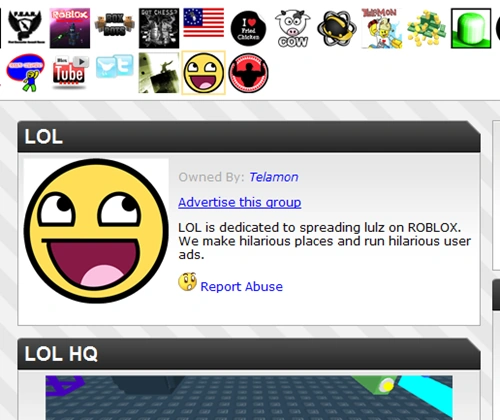
The 'Advertise this Group' button on the LOL Group in 2011.

Community Wall Discontinuation Banner
On May 28, 2015, Roblox added the ability to create an Game within Communities. With this update, it was possible for multiple people to collaborate in one Place, as well as Game revenue now being transferred to Community funds.[4]
On December 13, 2018, Roblox released a Community revamp which reworked the UI, but did not introduce new features. The revamp was only available for Users inside of the Roblox Beta Program.
On January 23, 2019, at 8:00 PM EST, the new Community UI that was released for all Users.[5] However, the updated UI lacked the ability to create Clans. It was later announced that they would be deprecated.
In Early 2019, the "Games" tab was removed and all Games were placed under the "About" tab.
On January 6, 2022, Roblox Community owners were given the ability to change the names of Communities at the cost of 100 Robux.[6]
Sometime in 2023, Roblox began to prepare for the rebrand of "Groups" to "Communities", which led them to revoke ability to post on Community Walls for <13 users.[7]
Around December 17, 2019, the maximum number of Communities for all Users to join was raised to 100 groups. The creation of Communities was also changed to allow all Users to create Communities, regardless if they are Premium members or not.[8]
On November 21, 2024, Roblox announced that Groups would become Communities, in the coming days Roblox began to roll out and announce new features for Communities, Such as Community Forums, Guilded Announcements, and The new "Game Event" tab.
On May 22, 2025, Roblox announced that Community walls would be deprecated. All Community walls became read only in December 2025, being replaced by Community Forums.
In December 2025, Roblox once more rolled out new features for Communities, Such as Cover Photos (Banners) on December 7, 2025,[9] as well as Community Announcements on December 19, 2025, which replaced Guilded Announcements.[10]
On March 17, 2026, the ability to assign multiple roles per member was added, as well as the removal of the 25 Robux fee for creating new roles.[11]
On April 1, 2026, Roblox officially removed Community walls from the website, although the posts still remain accessible through the API. The existing archive of the posts can be viewed through unofficial websites, notably the ROBLOX Group Wall Archive.
On April 9, 2026, the ability to assign up to 16 different colors to roles was added, along with the option to delete roles without unassigning them from current members.[11]
Creating a Roblox Community
Here you will be taught how to create your own Roblox Community!
For Website users
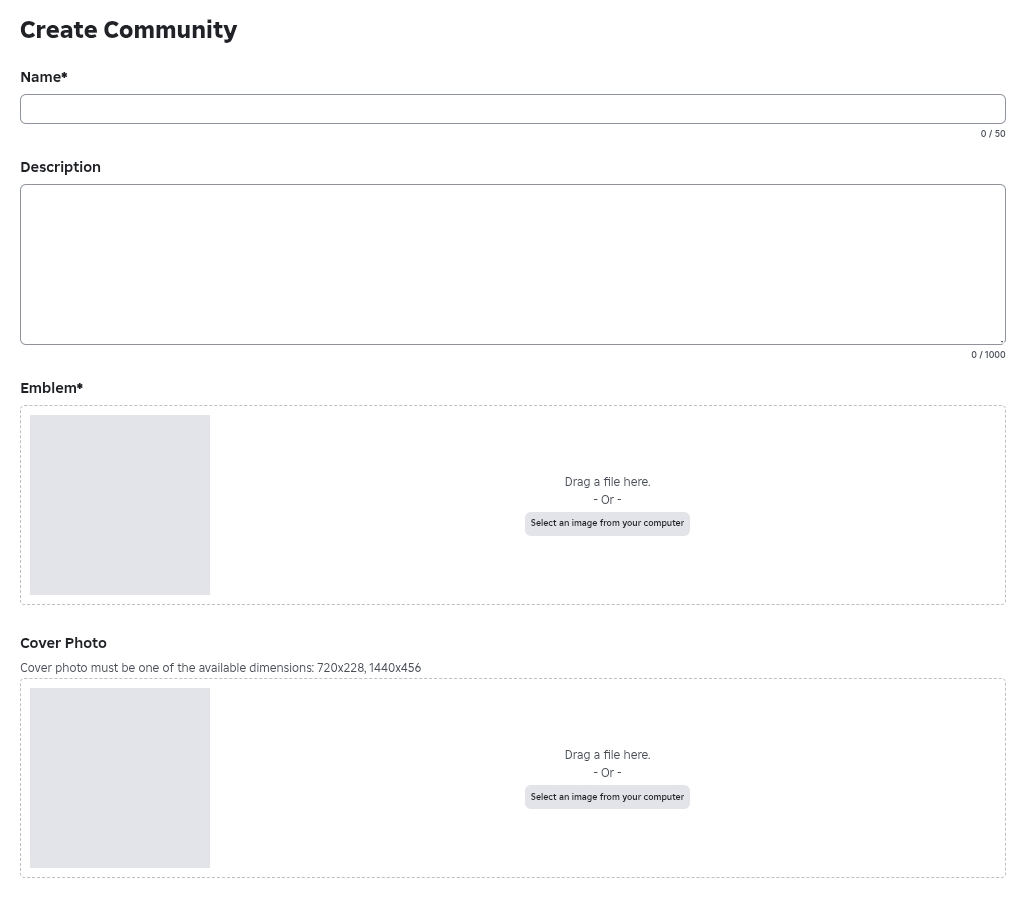
To create a Community on the Roblox Website, Navigate to the "Hamburger Menu" (3 Lines) icon (which is besides the Roblox Logo), Click "Communities" On the left side of the screen, the list of Communities that you are currently in is listed, along with a button above the list titled "Create Community". Players may then give their Community a name, Description, an Emblem (Thumbnail/Icon) , or Cover Photo (Banner) and pay 100 Robux for their Community to be created.
For Phone users
To create a Community on the Roblox App, On the bottom of the screen, click the "More" icon, Click "Communities", the list of Communities that you are currently in is listed, along with a button above the list titled "Create Community". Players may then give their Community a name, Description, an Emblem (Thumbnail/Icon) , or Cover Photo (Banner) and pay 100 Robux for their Community to be created.
For Tablet & Desktop app users
To create a Community on the Roblox Tablet or Desktop app, Navigate to the left side of the screen, Click the "More" icon, Click "Communities" the list of Communities that you are currently in is listed, along with a button above the list titled "Create Community". Players may then give their Community a name, Description, an Emblem (Thumbnail/Icon) , or Cover Photo (Banner) and pay 100 Robux for their Community to be created. Community names, icons and info may be changed later. (100 Robux fee for changing the Community name)
Once the Community name is changed, the following things will happen:
- The Community name can't be changed again for 90 days.
- Community members will be notified of the change of the Community name.
- The Community will not be searchable under the previous name.
Community Discovery
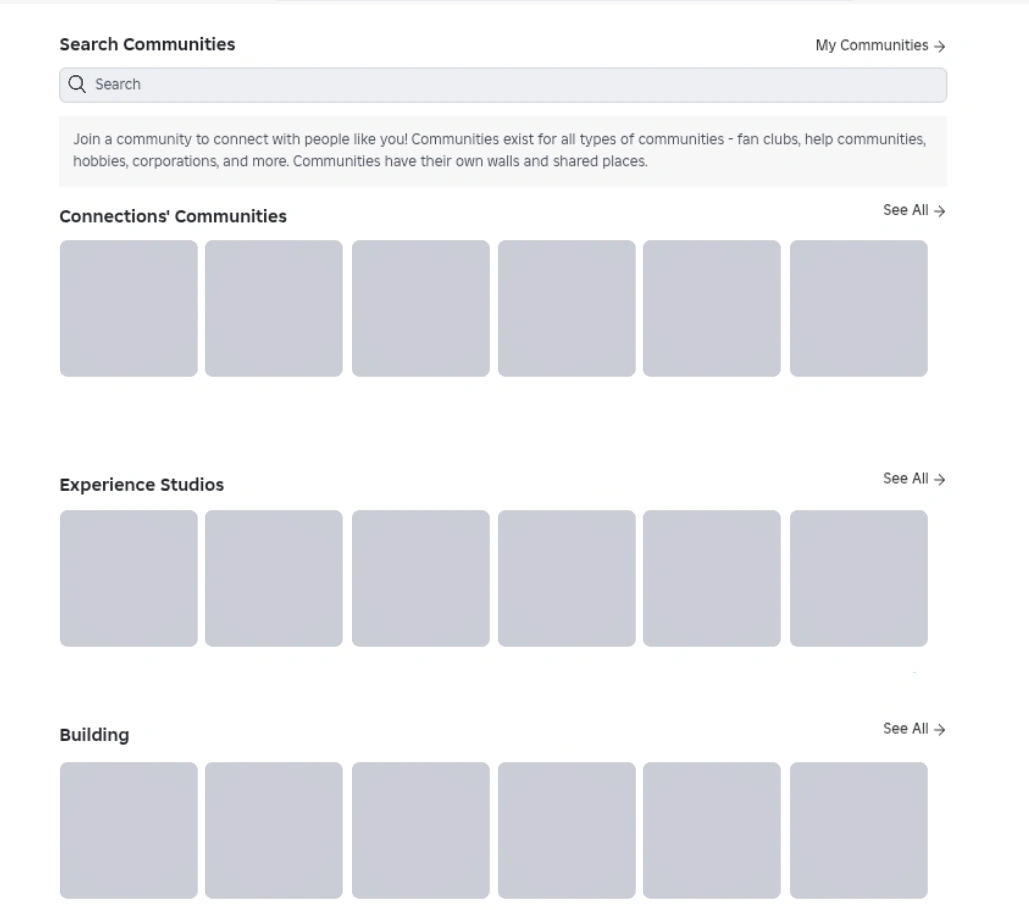
On Roblox, users can find new Communities either by going to the Top Communities page, Searching Communities, or if you are currently viewing a Community, you can press "View all"
Top Communities
Top Communities is the default homepage of Communities; here users can find Communities their friends are in or Game Studios, Military, Roleplaying, and Fan Groups. Here users can also see the top six Communities in these categories.
Community Search
Here users can search for any Community; users can get here either from the global search bar on the Roblox topbar or via the Community discovery page. Users can search any term as long as it abides by the rules of Roblox. If an inappropriate term is entered "Search term not appropriate for Roblox." will appear.
Locked Community
A Locked Community can happen when your content in your group such as the banner image, description, group shoutout, etc. violates the Community Guidelines more than once. Once this happens, there is no way to revert it and users will have to make a new one.
Community Leaderboard
On Roblox, the size of a Community is determined by the number of members it has. As of June 07, 2026, these are the ten largest Communities.
| Rank | Name | Members | Owner |
|---|---|---|---|
| 1 | 크롱 스튜디오 크롱 스튜디오 is a notable community verified by Roblox Corporation. Learn more.
|
47,800,000 | C_rongg C_rongg is a notable creator or influencer verified by Roblox Corporation. Learn more.
|
| 2 | Nosniy Games Nosniy Games is a notable community verified by Roblox Corporation. Learn more.
|
45,500,000 | Nosniy Nosniy is a notable creator or influencer verified by Roblox Corporation. Learn more.
|
| 3 | SecretVerse Studio | 44,400,000 | Secret_Lokii Secret_Lokii is a notable creator or influencer verified by Roblox Corporation. Learn more.
|
| 4 | BRAZILIAN SPYDER | 38,400,000 | SpyderSammy SpyderSammy is a notable creator or influencer verified by Roblox Corporation. Learn more.
|
| 5 | Catalog Avatar Creator Catalog Avatar Creator is a notable community verified by Roblox Corporation. Learn more.
|
32,600,000 | Muneeb Muneeb is a notable creator or influencer verified by Roblox Corporation. Learn more.
|
| 6 | Blue Lock Rivals Unofficial Fans | 31,600,000 | plbl_rivals |
| 7 | Scriptbloxian Studios Scriptbloxian Studios is a notable community verified by Roblox Corporation. Learn more.
|
29,700,000 | Scriptbloxian Scriptbloxian is a notable creator or influencer verified by Roblox Corporation. Learn more.
|
| 8 | BIG Games Pets BIG Games Pets is a notable community verified by Roblox Corporation. Learn more.
|
29,100,000 | Preston_Username Preston_Username is a notable creator or influencer verified by Roblox Corporation. Learn more.
|
| 9 | Wiggity. Wiggity. is a notable community verified by Roblox Corporation. Learn more.
|
28,600,000 | chunchbunch chunchbunch is a notable creator or influencer verified by Roblox Corporation. Learn more.
|
| 10 | lol games.. lol games.. is a notable community verified by Roblox Corporation. Learn more.
|
27,700,000 | Dev_Emir Dev_Emir is a notable creator or influencer verified by Roblox Corporation. Learn more.
|
Community Features
There are many features provided for Communities on Roblox. A maximum of 18 ranks can be set, along with certain allowed privileges and the amount of power a rank may have over another. If a rank is given enough power to do so, members may force (kick, formerly exile until the update to Communities) a member to leave a Community, add Clothes, Models, Meshes, and Decals for sale to the Community Store, and add allies and enemies. They may also oversee every action in a Community in the Audit Log.
Community funds may be distributed among Community members and the Community's owner.
Announcements
Users can create an Announcement, by clicking "Create", And filling in whatever they want to. much like its predecessor "Community Shouts". before December 2025, you could link an announcement channel via Guilded to the Community. All users viewing the Community page would see Community shouts and Community announcements including under thirteen users. This feature was removed in December 2025, along with the Shutdown of Guilded, Community Shouts were also deprecated in December 2025, being replaced with Announcements, As of December 2025, creating an Announcement will revoke access from creating a Community Shout.

Community Forums
First announced during RDC 2024, Community Forums were created to facilitate interactions inside Communities as a replacement to Community walls (previously Group walls). The key features of Community Forums include custom categories where users can create a post and interact with other posts, permission management, and built-in moderation tools in contrast to the simple system used in community walls. The Forums beta was released in 2024, with the official release being on August 21, 2025, as such, with the full launch of Community Forums, the previous Community Walls were made read-only in December 2025 meaning that no additional posts can be added to a Wall but you can still read it. However they were completely erased at the end of March 2026[12]
Community Store
Community Stores (Also known as "Merch") are a feature available for all Community Owners, they allow users to upload Accessories, Bundles, Classic Clothing, Layered Clothing, and various other Items such as Classic T-Shirts.
Events Tab
In the events tab owners can post upcoming events for the game which can be things like updates.

Community Admins
Community Admins are 1/3 of the default Roles provided after purchasing a Community. Community Admins are usually given more abilities than Lower-Ranked users in a Community. these abilities can include (but are not limited to) creating Games, uploading media (Decals, Models, Music, ETC) Banning/Kicking Users, Moderating Forums, as well as managing the Community Store.
Allies & Enemies
Allies & Enemies is a feature that allows users to send Allie Requests, or Declare Enemy on certain Communities. Although, most Community Owners toggle Enemies (which stops other Communities from declaring them as an enemy.) While most Community Owners send ally requests to their Friends Communities, or popular Communities.
Discontinued Features
- Clans could be created for 500 Robux, High-Ranked Users could invite a User to join a clan. see Player Points or Clans to learn more.
- Community Shouts was a feature that allowed Users to "Shout" or Announce something to a Community, they are currently being Deprecated in favor of Announcements, which are much more advanced, allowing Images, Titles, As well as text.
- Guilded Announcements was a feature that allowed you to create Announcements through Roblox's Guilded app. However they were removed in December 2025 due to Guilded's shutdown, They were replaced with Announcements.
Gallery
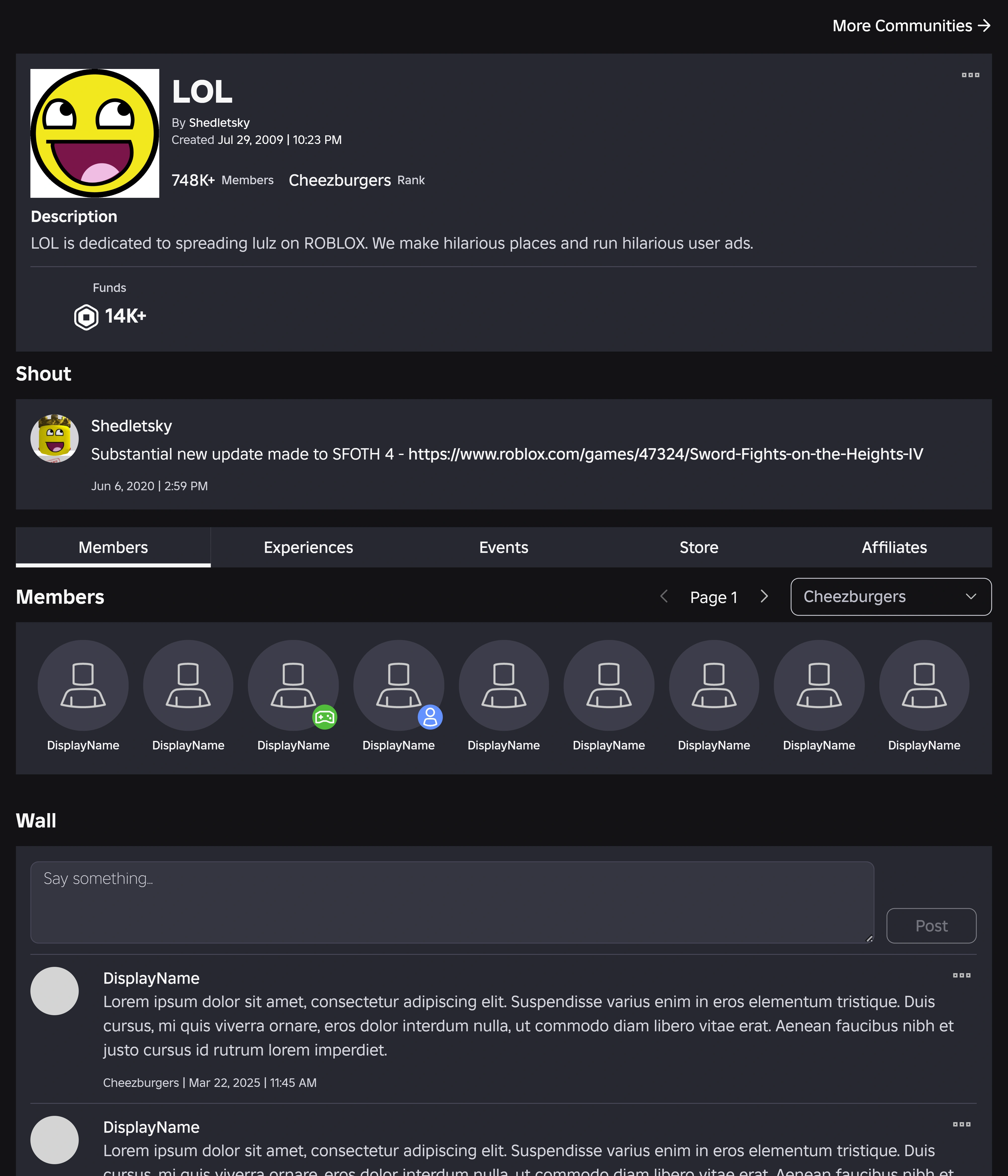
![Old community (group) search page ] The Community "LOL" before the new UI update.](/wiki/File:ROBLOX_Car_Industry_Front_Page.png "ROBLOX Car Industry Front Page.png (552 KB)")


See also
- Configure Community - allows you to edit groups.
- Clans - allowed you to get Player Points for your Community.
References
- ↑ 1.0 1.1 Brown, Tim (2009, July 30). "Social Feature Bonanza!". From Roblox Blog. Accessed December 24, 2022. Archived from the original on August 5, 2022.
- ↑ Shedletsky, John (2009, September 28). "Building with Friends". From Roblox Blog. Accessed December 24, 2022. Archived from the original on July 17, 2022.
- ↑ Shedletsky, John (2011, February 3). "Advertise This Group". From Roblox Blog. Accessed December 24, 2022. Archived from the original on April 16, 2021.
- ↑ Ehlers, Rosemary (2015, May 28). "Share the Wealth With Group Owned Games". From Roblox Blog. Accessed December 24, 2022. Archived from the original on January 15, 2022.
- ↑ Iron_Legion (2019, February 1). "New Group Details Page". From Roblox Blog. Accessed December 24, 2022. Archived from the original on August 5, 2022.
- ↑ BitwiseAndrea (2022, January 5). "Group Name Change is now available". From DevForum. Archived from the original on December 24, 2022.
- ↑ (n.d.) . Update to Roblox Groups - DevForum. Archived from the original on November 13, 2024.
- ↑ CaptiosusColonizer (2019, December 17). "Can't join 100 groups without Premium on account". From DevForum. Archived from the original on December 24, 2022.
- ↑ Bloxy News [@Bloxy_News] (2025, December 7). "You can now upload a cover photo to further customize your Roblox Community." [Tweet]. Twitter.
- ↑ Sassiekathy (2025, November 25). "Create Community Announcements Directly on Roblox". From DevForum. Archived from the original on April 12, 2026.
- ↑ 11.0 11.1 lm_gameon (2026, March 17). "Level Up Your Community: Assign Multiple Roles per Member!". From DevForum. Archived from the original on April 12, 2026.
- ↑ JavaJiving (2025, August 21). "Forums Are Now Live for All Community Owners". From DevForum. Archived from the original on September 30, 2025.
| Corporate | |||||||||||||||||||
|---|---|---|---|---|---|---|---|---|---|---|---|---|---|---|---|---|---|---|---|
| Software |
| ||||||||||||||||||
| History | |||||||||||||||||||
| Website |
Account settings · Avatar Editor · Banner · Character · Comments · Community · Friends · Discover · Error · Inventory · Messages · My Feed · My Transactions · Notify · Personal Server · Private server · Profile · Roblox badge · Verified Badge · Friends chat · Party · Website Background | ||||||||||||||||||
| Currency | |||||||||||||||||||
| Membership | |||||||||||||||||||
| Merchandise | |||||||||||||||||||
| |||||||||||||||||||
| |||||||||||||||||||
| |||||||||||||||||||
| Italicized links indicate pages with a discontinued subject. | |||||||||||||||||||