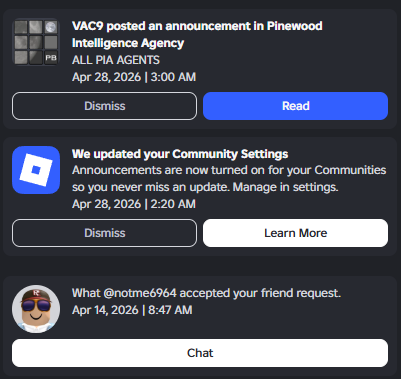

A screenshot of a user's notifications.
Notifications are a feature on the website that was first introduce on 22 November 2016. You can view your notifications on the top right screen on the left of the Robux icon.
Whenever you get a notification, a red circle will appear on the bell showing the number of notifications you've have. It can go up to 99+. Notifications are responsible for when you accept/get a friend request, when a user is inviting you, and announcements from Roblox themselves.
You can also add/remove optional notifications in games and communities. In order to receive these notifications, you must click on the notify button for games on the website menu and click the "Turn on notifications" button on the top right screen of a community announcement. Both of these have an outlined version of the notifications icon.
Trivia
This section is a trivia section. Please relocate any relevant information into other sections of the article.
- Before the notifications feature was implemented, the only method of receiving notifications was through Roblox+.
Gallery
